
Customer portal: what it is, examples and when you need one
What a customer portal is, examples by industry, ready-made software or a custom build, 1C and CRM integration, personal data under Kazakhstan law, cost and phasing.
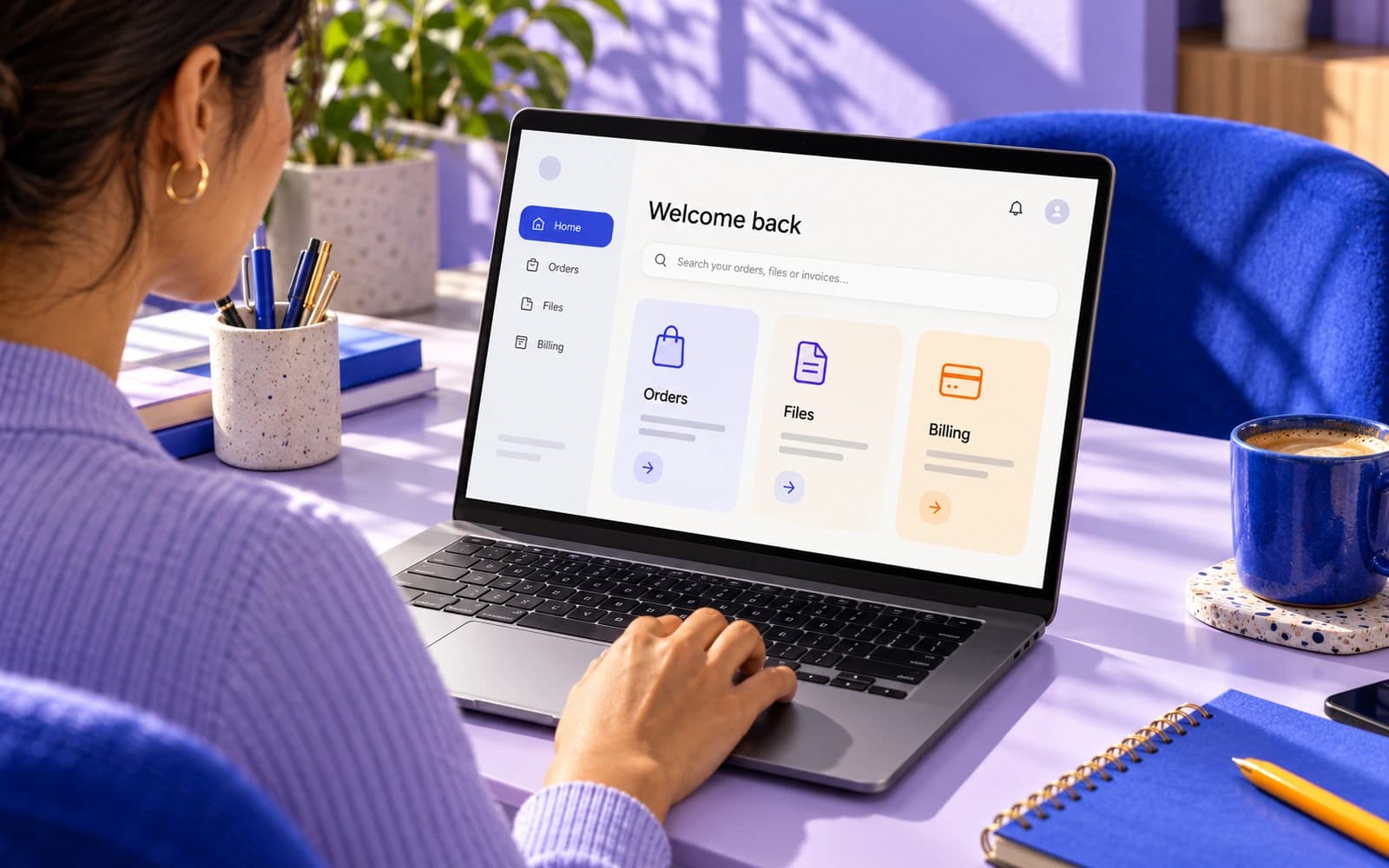
You keep answering the same questions on WhatsApp and by email: where is my order, can you resend the invoice, what is the status of my request. A customer portal is the usual answer. In plain words, it is a password-protected area of your website or web app where clients log in and find their own documents, invoices, orders and requests without asking your team. This guide explains what a customer portal is, shows examples by industry, and helps you decide whether you need one now, later or not at all.
Short answer: you need a portal when the same client questions arrive often enough that answering them by hand costs more than a page that answers them automatically. Below: the signals, the typical contents, off-the-shelf software versus a custom build, integration with 1C and your CRM, personal data, cost and a phased plan.
What is a customer portal?
A customer portal is a web application with accounts and roles. Each client sees only their own data; your team sees everything through an admin panel behind it. It sits between your public website and your internal systems, reading from the CRM, 1C or a calendar and showing each client a permission-controlled slice.
The term overlaps with a few others:
- Client portal or self-service portal: the same thing, described from the client's side: they serve themselves instead of writing to you.
- B2B portal: an account for business buyers, with contract prices, stock and documents.
- Partner portal: a portal for dealers, agents or suppliers rather than end customers.
Customer portal examples by industry
Portals look different depending on what the client wants to get done. A few examples we see most often:
- Agency or consultancy. Project status, deliverables to approve, hours used, invoices and completion acts, a message thread per project.
- Real estate. Buyers and partners see listings matched to them, viewings, offers and the document pack for a property. Agents manage their own listings and enquiries.
- Clinic. Appointments, test results, referrals, invoices and consent forms.
- Logistics and transport. Shipment tracking, proof of delivery, recurring bookings, damage claims with photos.
- Wholesale. Contract prices and stock from 1C, reorder from history, open invoices, ESF e-invoices, credit limit.
- Accounting and finance. Document exchange, reports, deadlines, signing with a digital signature through NCALayer, stricter security.
- Education and training. Course schedule, materials, certificates, payments, attendance.
What a customer portal typically contains
Most portals are built from the same six blocks. Start with the two or three your clients ask about most and add the rest later.
| Block | What the client does | What it replaces |
|---|---|---|
| Documents | Downloads contracts, completion acts, e-invoices, signs with a digital signature, uploads files | Attachments in email and WhatsApp, shared folders with the wrong permissions |
| Invoices and payments | Sees open and paid invoices, pays by card or through Kaspi, downloads receipts | "Could you resend the invoice?" and manual payment matching |
| Orders and requests | Places a new order or request, repeats an old one | Phone orders and requests buried in chat threads |
| Status tracking | Sees where a request, shipment or project stands, with a timeline | "Any news?" messages and internal status calls |
| Messages | Writes to your team in a thread attached to the order or project | Scattered chats with the wrong people |
| Bookings | Picks a slot, reschedules, cancels, gets reminders | Back-and-forth about times and no-shows |
A portal does not have to include all six. If bookings are the main thing, an online booking system with a client login may be all you need, and you can grow it into a fuller portal later.
How clients log in to a customer portal
For clients, the portal is first of all the login. If signing in is slow or confusing, nothing behind it gets used.
Good portals make the first login almost invisible:
- Invitation, not registration. Your team adds the client in the CRM or admin panel; the portal sends an invitation link. The client sets a password.
- One-time codes for occasional users. Clients who log in twice a year get a code or link by email or phone instead of a password they will forget.
- One obvious entry point. A "Client login" link in the website header, in every email signature and on every invoice. Clients should never have to search for it.
- Two-factor authentication where the data needs it. Mandatory for admin roles and for financial or health data; optional for a simple order-status portal.
Signals that you need a customer portal
You rarely need a portal on day one. You need one when the volume of repeat questions turns into a real cost. Typical signals:
- Message ping-pong. The same request needs three or four messages before it is complete: a missing file, a question about the file, a confirmation.
- "Where is my order" calls. Clients phone to ask about order, shipment or project status, and your team opens an internal system to read it out to them.
- Manual status updates. Someone on your team spends part of every day writing "just to let you know" messages that could be a line in a table.
- Clients asking for it. Larger clients, especially companies, increasingly expect a login rather than a reply in a messenger.
A quick test: count the client-facing messages your team sends in a normal week. If a third or more only report status or re-send a document, a portal will pay for itself quickly. If the bigger problem is that your own team cannot see the full picture of each client, read when you need your own CRM first: the portal usually comes after the internal system, not before.
Off-the-shelf software vs a custom portal
There are two routes: subscribe to ready-made client portal software, or have a portal built around your workflow.
| Off-the-shelf software | Custom portal | |
|---|---|---|
| First version | Days | A few weeks |
| Cost | A monthly subscription, often per user: the bill grows with every client you invite | One-off build, from 1 000 000 ₸ with us, then hosting and support |
| Fit to your process | You adapt to the tool's model | The tool follows your statuses and terminology |
| Integrations | Only the connectors the vendor offers | Anything with an API or an exchange: 1C, CRM, Kaspi, the ESF system |
| Data | Sits with the vendor; export on exit | Your database on your own server in Kazakhstan |
Ready-made software is a sensible first step when your process is close to standard and you have a few dozen active clients. It becomes expensive and awkward with hundreds of clients, an unusual workflow, or systems the vendor cannot connect to.
A custom portal is web application development. At Pazl the first version starts from 1 000 000 ₸: accounts, the two or three core blocks and one integration, at a price fixed in the contract. See customer portal development for what is included and how much a web app costs for what drives the price. Prices on the market vary widely, and they depend less on the portal itself than on the number of roles and on the systems it has to talk to. When you compare quotes, compare them on those two things.
Integrations, security and personal data
Integrations: the portal should read, not duplicate
A portal is only useful if it shows the truth, so it should read from the systems where your team already works rather than keep its own copy. The usual three:
- CRM (amoCRM, Bitrix24 or your own): the client list and their deals or requests. A new client in the CRM gets access without anyone typing their details twice.
- 1C or another accounting system: open and paid invoices, completion acts, contract prices, stock, ESF e-invoice numbers and statuses. The client pays in the portal; accounting sees the payment.
- Calendar: availability and appointments, so a booking in the portal blocks the slot and the reminder goes out automatically, WhatsApp included.
If those systems do not yet talk to each other, the portal is often a good moment to fix it.
Security and the personal data law
A portal holds personal and often financial data, so the basics are not optional:
- strong password rules or single sign-on, two-factor authentication for admin roles, short-lived sessions;
- role-based access: a client sees only their records, a partner only their listings, an employee only what their job requires;
- encryption in transit and at rest, backups, and an audit log of who opened or changed what;
- the Kazakhstan personal data law: collection with consent, consent that can be proven, and storage in a database located in Kazakhstan (Law No. 94-V, Articles 7, 8 and 12(2)). If data goes to a foreign email, analytics or AI service, that is a cross-border transfer, and the consent text says so. Details are in our guide on personal data on a website.
Common customer portal mistakes
Most portals that fail do not fail because of the technology. They fail because clients have no reason to log in, or because what they see there is out of date.
- Launching with everything. Six blocks, three roles and four integrations in version one means months of work before a single client logs in. Start with the two or three questions clients ask most.
- A portal that keeps its own copy of the data. If staff update the CRM or 1C and forget the portal, clients see stale statuses and go back to WhatsApp.
- Statuses nobody owns. "In progress" means nothing if nobody is responsible for moving an order to "Ready". Agree the statuses and who changes each one before the build.
- Still answering the old way. If the team keeps replying to "where is my invoice?" with an attachment, clients will never switch. After launch, answer with a link to the portal.
- Hiding the login. A portal that clients cannot find is a portal they do not use.
- Treating personal data as a final step. Roles, data location and deletion requests are cheaper to design in than to retrofit.
Cost, timeline and a phased build plan
What drives cost
Three things move the price: the number of roles (client, partner, admin, staff), the number of integrations, and whether payments are involved. A documents-and-status portal with one CRM integration is at the low end; a multi-role portal with payments, bookings and three integrations at the high end.
Timeline
We launch a first version covering the two or three most common requests in a few weeks. Larger portals take longer. What slows projects down is rarely the code: it is unclear statuses or missing API access to an old system, such as a non-standard 1C configuration.
A phased plan that keeps the first version small
- Map the requests. List every recurring client question, group it into the six blocks, pick the top three. Define the statuses and who changes them.
- Build the core. Accounts and roles, the three blocks, one integration with the system that holds the truth, an admin view for your team.
- Pilot with ten clients. Watch what they open and what they still message you about. Fix the wording before adding features.
- Open it to everyone. Put the login in your email signatures and invoices, and answer with a link whatever the portal already shows.
- After launch, add blocks. Payments, bookings, messages, a second integration. Each addition should remove a specific category of messages, or it does not go in.
Customer portal checklist: before you start
Use this list whether you are trialling off-the-shelf software or briefing a developer.
- We have counted the repeat client questions for one normal week and know the top three.
- We know which system holds the truth for each of them: CRM, 1C, calendar.
- Those systems have an API or an exchange, or we know who can export the data.
- Each status has a name, a meaning and an owner on our team.
- We know who the users are: clients only, or also partners, suppliers, staff.
- We know whether clients will pay inside the portal. If yes, see how to accept payments online.
- We have consent for every type of data the portal shows, and a server in Kazakhstan.
- We have ten friendly clients ready to pilot it.
- We know what we will stop doing in chats once the portal is live.
If you tick fewer than half of these, start with the internal side first, often a CRM or a cleaner set of tools, and come back to the portal later.
What we do on this topic
Short and to the point.
Is a customer portal the same as a CRM?
No. A CRM is the view your team has of clients; a portal is the view a client has of their own data. They usually share the same database, but they serve different people with different permissions.
How do clients get their login?
Typically your team adds the client in the CRM or admin panel and the portal sends an invitation. Clients set their own password or sign in with a one-time code.
How much does a customer portal cost?
The first version starts from 1 000 000 ₸: accounts, two or three core blocks and one integration. The final figure depends on the number of roles and systems, and we fix the price in the contract before work starts.
What does a customer portal cost to run?
Hosting on a server in Kazakhstan, the bank fee if clients pay in the portal, and support for updates. There are no per-user fees with a custom portal.
Can clients sign documents with a digital signature in the portal?
Yes. Contracts and completion acts are signed with a digital signature inside the portal through NCALayer, so clients do not have to print and scan documents.
Do we need a mobile app as well?
Usually not at first. A responsive web application works on any phone without an app store. A native app makes sense later if clients need push notifications or offline access, and it can reuse the same backend.
Read also
 Websites9 min readWhen a landing page cannot keep up: leads get lost and processes fall into chaosA landing page is a great start, but as a company grows it becomes a bottleneck: leads get lost, statuses live in WhatsApp, growth hits headcount. When to move on.
 Websites11 min readHow to accept payments online in Kazakhstan: cards, Kaspi, invoices and chatbotsOnline payments in Kazakhstan: links and invoices, Halyk ePay on your site, Kaspi, chatbot payments, online cash registers, 1C and CRM sync, mistakes and a launch plan.
 CRM and ERP8 min readWhen off-the-shelf CRMs can't keep up: when a business needs its own CRMHow to tell that amoCRM or Bitrix24 no longer fit, and what a custom CRM built around your processes gives: data in Kazakhstan, licences, links to 1C and Kaspi.
Shall we discuss your project?
We will tell you what it costs and how long it takes. The price is fixed in the contract.