ERP for a Logistics Company
An ERP platform for a logistics company. We designed and built one system for the whole shipping cycle, from a truck’s departure to closing documents and driver KPIs.
- Project type
- Client project
- Industry
- Logistics and freight
- Platforms
- Web platform and Telegram bot
- Our role
- Design and development
- Status
- In use at the company
Who works in the logistics ERP
Every role of a transport business: each has its own interface, the data is shared.
- Director: analytics on trips, finance and the fleet.
- Dispatcher: trips and vehicle load.
- Accountant: documents and calculations.
- Driver: a Telegram bot connected to the same system.
Data spread across monitoring, Excel and messengers
Before the system, the company’s data lived in monitoring tools, Excel, the ERP and messengers. Management could not see the full picture, dispatching was slow, and documents and KPIs were compiled with errors.
- Bring the whole shipping cycle into one place.
- Give each role its own screens over the shared data.
- Calculate driver KPIs in the system, so nobody argues over them.
What the logistics ERP includes
Role interfaces
Director, dispatcher, accountant and driver each get their own screens. The data underneath is shared.
Fleet board
Every vehicle with its status, driver, route and cargo: en route, loading, idle or in service.
Alerts with a next step
An SOS, driver rest time, long idle time or low fuel arrives with an action: call, message the driver, accept.
Driver cards and KPIs
Licence category, experience, rating, kilometres today, fuel use and violations. KPIs are calculated automatically.
Analytics
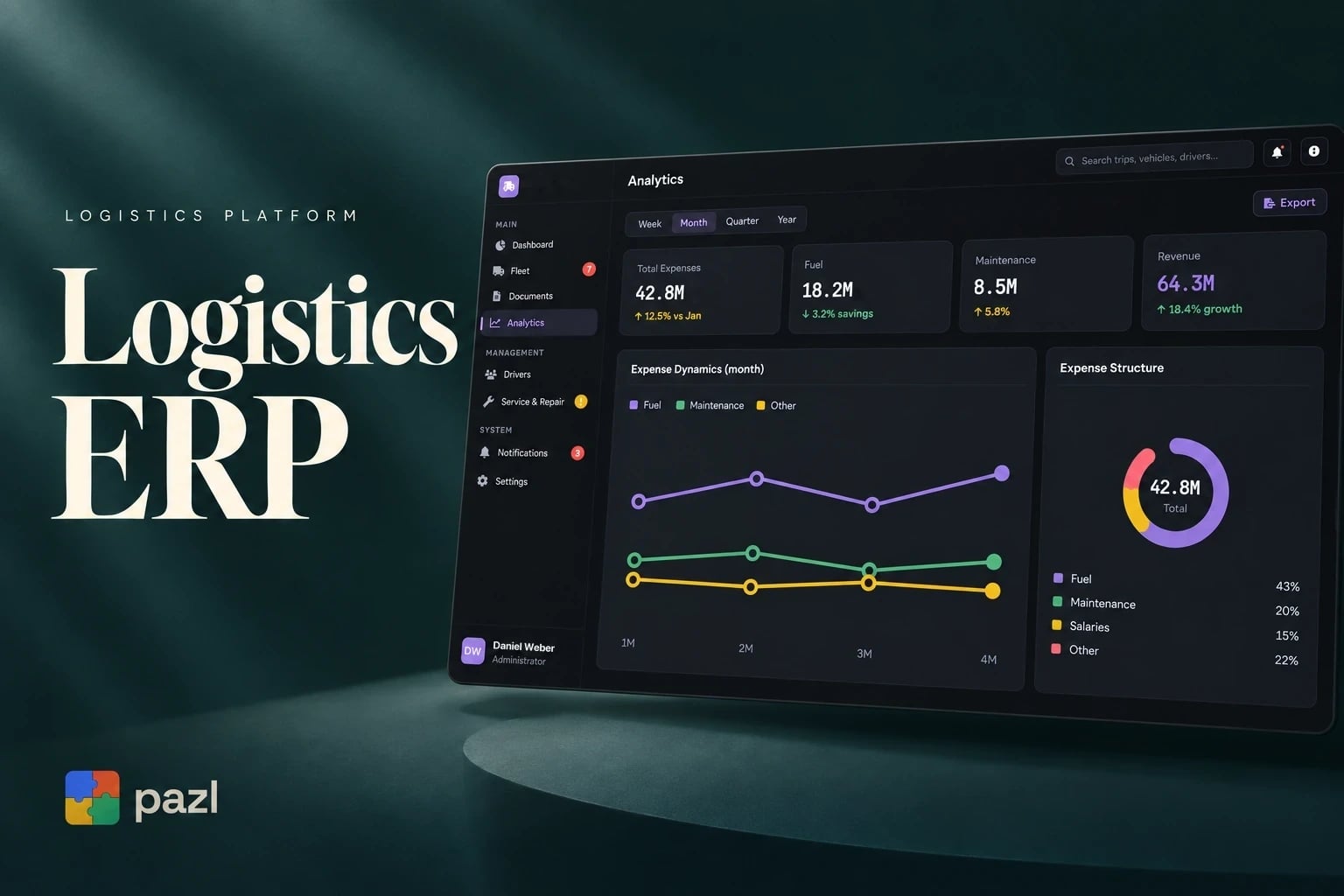
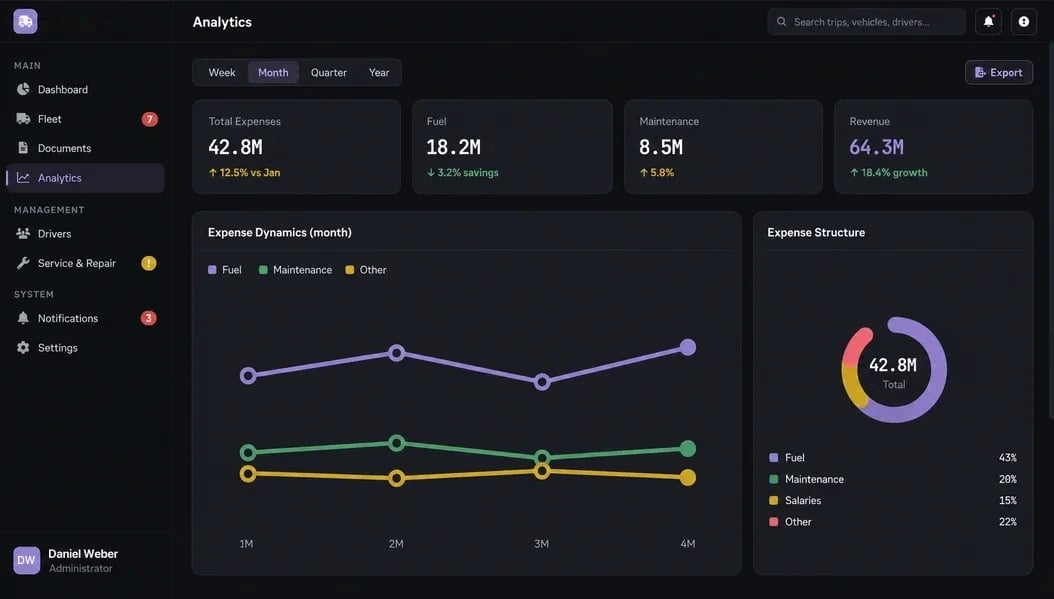
Expenses, fuel, maintenance and revenue by week, month, quarter or year, with export.
GPS and ERP integration
Routes, idle time and trip statuses come from GPS tracking. The platform is connected to the ERP the company already used.
How a trip runs through the system
The fleet on the board
The dispatcher sees every vehicle with its driver, route, cargo and status.
On the road
GPS records the route, idle time and status. The driver works through the Telegram bot.
Alerts
SOS, rest time, idle time or low fuel reach the office with a button for the next step.
Closing the trip
Documents and statuses are already in the system, so accounting works without a manual summary.
Results
Driver KPIs are calculated, and the director sees expenses and revenue by period.
How we built the logistics ERP
First we designed the platform around the roles of a transport business, then connected GPS tracking, the ERP the company already used and a Telegram bot for drivers.
Roles first
What the director, dispatcher, accountant and driver need to see and do set the screens.
One data environment
All roles work on the same trips, vehicles and documents, so departments do not reconcile by hand.
Integrations
GPS tracking, the ERP and the drivers’ Telegram bot feed data into the platform.
Records without manual entry
Routes, idle time, documents, trip statuses and driver KPIs are recorded by the system, not by a person.
A closer look at the screens
What the ERP changed for the company
- Director, dispatcher, accountant and driver work in one system instead of monitoring tools, Excel and messengers.
- Routes, idle time and trip statuses are recorded automatically via GPS.
- Driver KPIs are calculated automatically and transparently, without disputes.
- Documents move faster, with fewer errors and less work for accounting.
Questions about this project
An ERP platform with interfaces for the director, dispatcher, accountant and driver, GPS tracking, a link to the company’s ERP and a Telegram bot for drivers. We did the design and development.